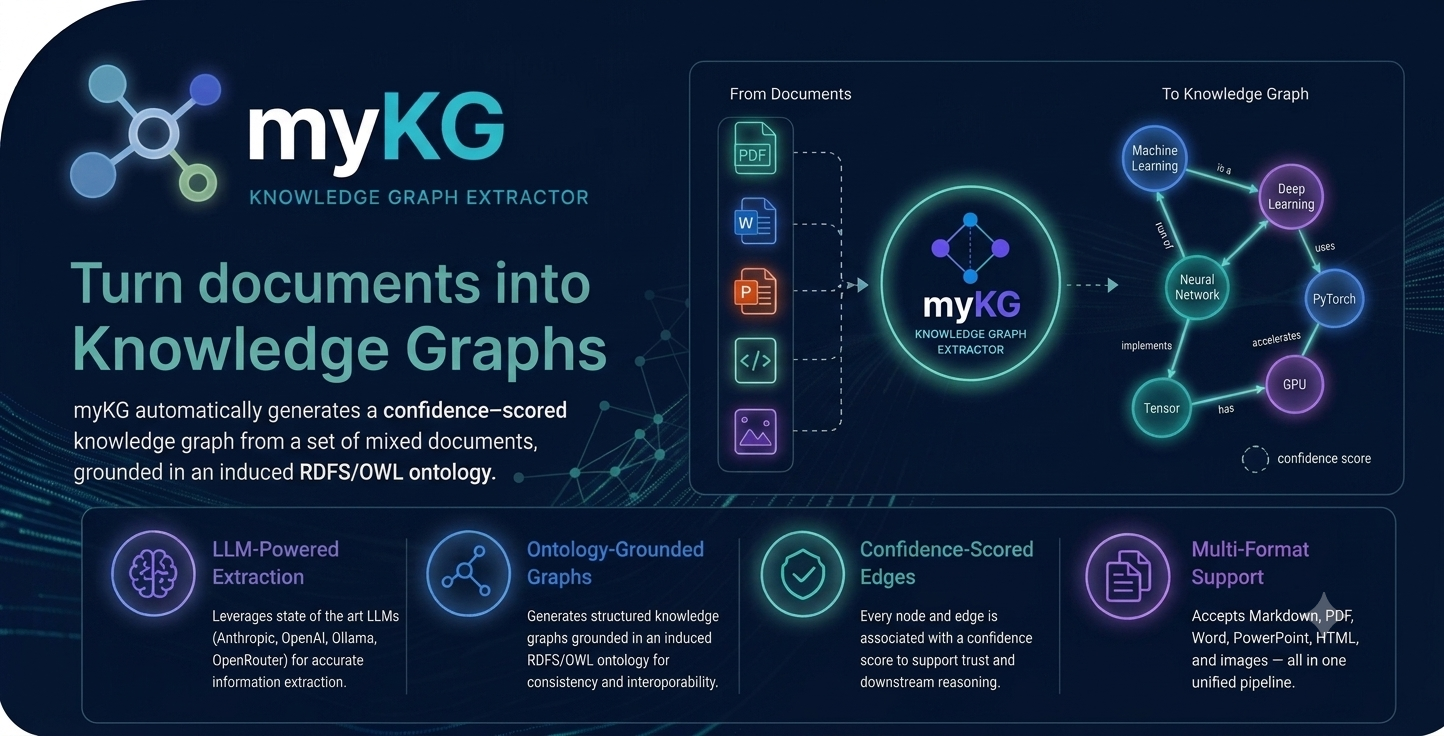
myKG automatically generates a confidence-scored knowledge graph from a set of mixed documents — Markdown, plain text, PDF, Word, PowerPoint, Excel, HTML, images, and websites — grounded in an induced RDFS/OWL ontology.
How it works
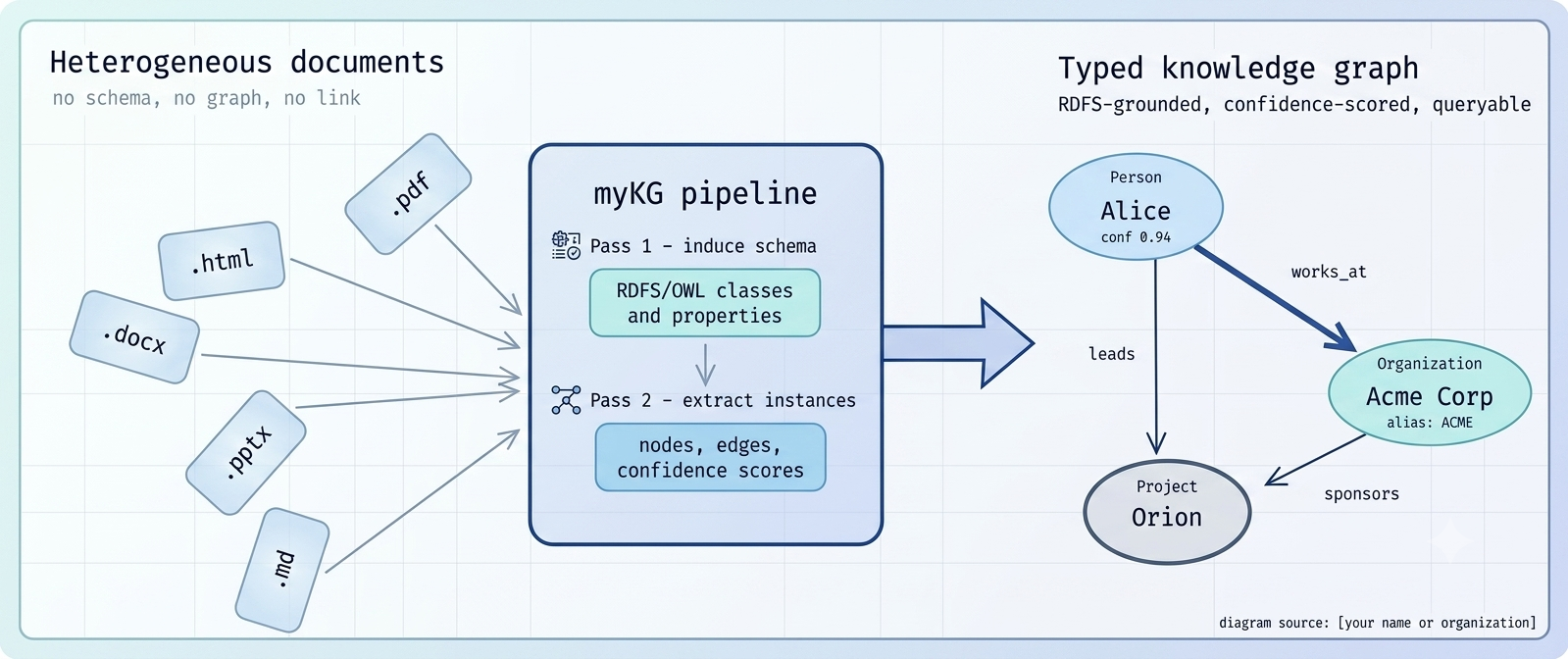
Pass 1 — Schema Induction
The LLM reads your document corpus and proposes concept types and relationship properties, producing a global RDFS/OWL schema you can review before extraction begins.
Pass 2 — Instance Extraction
Individuals and relationships are extracted per file against that schema. Every attribute, node, and edge carries a confidence score, so you always know how much to trust it.
Why myKG
Schema-guided extraction
The graph is always grounded in a formal, inspectable RDFS/OWL schema before any entity is extracted — not a black box.
Bring your own ontology
Lock in classes and properties from an existing formal ontology and let the LLM extend it, or freeze it entirely.
Second brain for AI coding assistants
Point Claude Code, Cursor, or Copilot at the generated Obsidian vault (or the MCP server) and get answers grounded in your own documents.
Resumable & incremental
Every stage persists intermediate state. Append new documents later without re-processing everything.
Confidence scoring
Every extracted attribute, node, and edge carries a 0.0–1.0 confidence score, so quality is always inspectable.
Provider-agnostic
Works with Anthropic, OpenAI, Ollama, OpenRouter, or the claude CLI — swap backends without changing your pipeline.
Five output formats, one extraction
Works with your LLM provider
claude CLI
Quick start
pip install mykg
mykg init
mykg extract-graph my_notes/
Open mykg_sessions/<timestamp>/output/knowledge_graph.html in your browser to explore the result.
See the README for the full command reference, configuration options, and pipeline internals.
Learn more
Read walkthroughs and case studies on the blog, or dig into the source on GitHub.